
Overview of the Data Explorer
The Data Explorer is part of Ready Pay(not available with Ready Pay Lite), accessed by going to Navigator > Data Explorer.
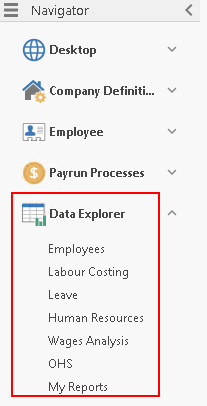
It is a customisable data analysis tool that allows you to run pre-defined query types regarding:
- Employees
- Labour Costing
- Leave
- Human Resources (if licensed)
- Wage Analysis (includes General Ledger)
- OHS (if licensed)
- My reports (contains any Ready Pay Customised reports)
The Data Explorer also allows you to:
- drag and drop a layout to suit various requirements
- save and re-use a customised layout
- query across multiple companies in the same query
- produce customised reports in grid form
- produce sophisticated crosstab reporting and data analysis using the optional Crosstab Analyzer component, only available with Advance Reporting
- produce your reports from the Crosstab Analyzer in a graphical or chart form for comparative purposes.